
Guide: set up the logbook
From purchase to the first flight in the logbook takes only a few steps. Here is how.
- 1
Accept the invitation
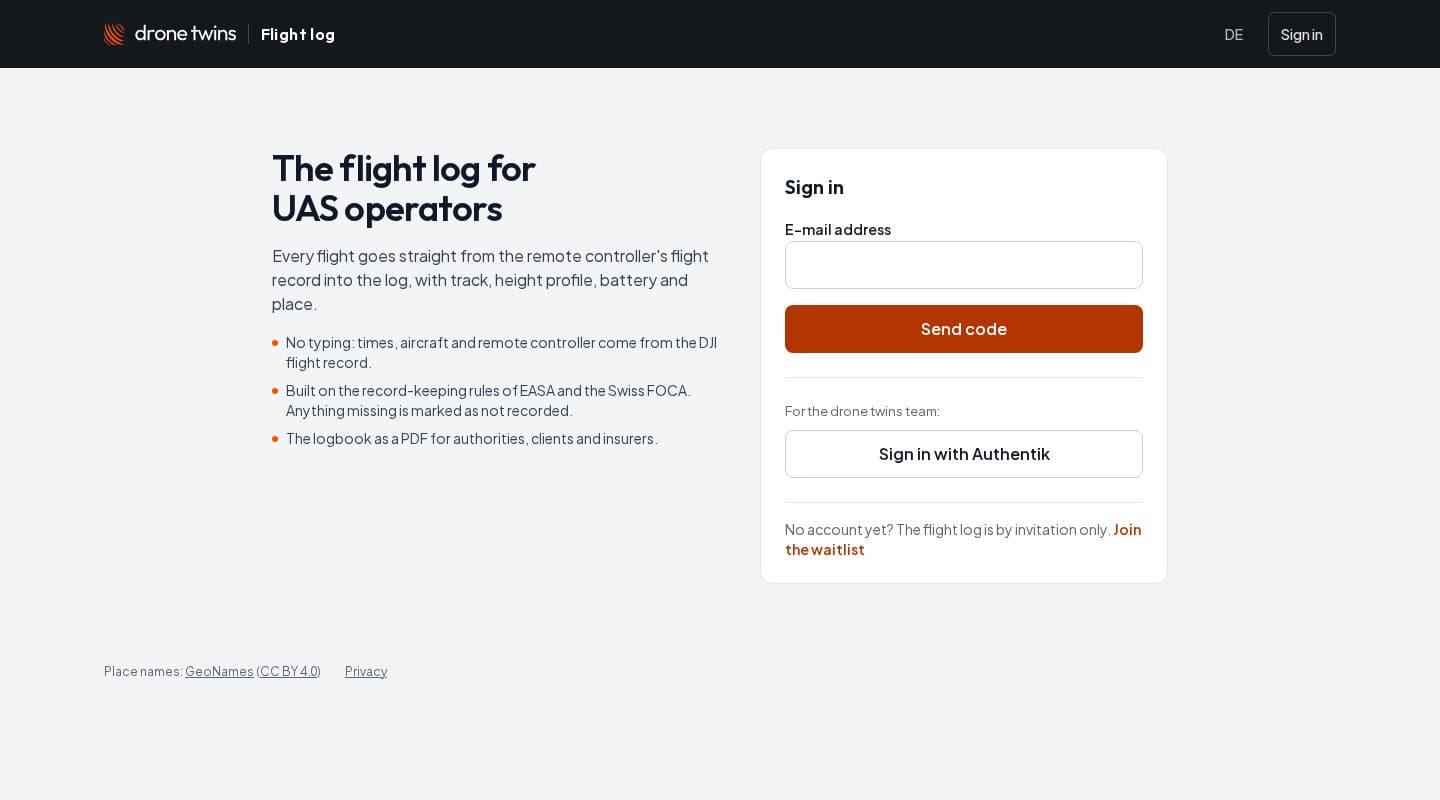
After the purchase you get an e-mail with your invitation. Open the link and sign in with your e-mail address. We send you a six-digit code; there is no password.
- 2
Set up the controller app
Install the logbook app on the DJI RC Plus 2. It runs next to DJI Pilot 2 and only needs the key of your operation. After that it works in the background.
- 3
Fly as usual
DJI Pilot 2 writes a flight record after every flight. As soon as the controller is back online, the app uploads it, and shortly after the flight is in the logbook.
- 4
Review your flights
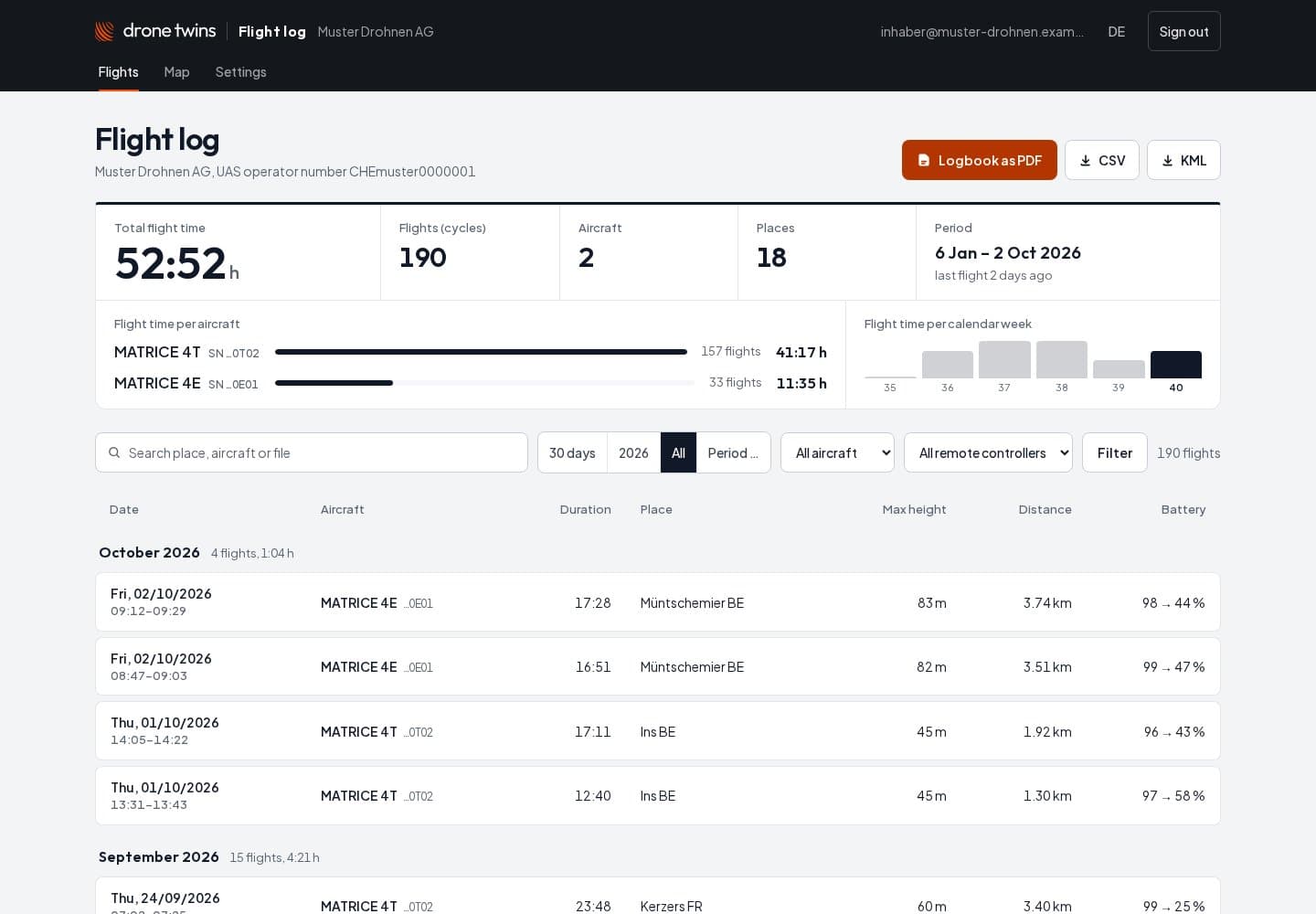
The flight list shows the totals and every flight as a row, grouped by month. One click opens the map with the track and the flight profile.
- 5
Export the record
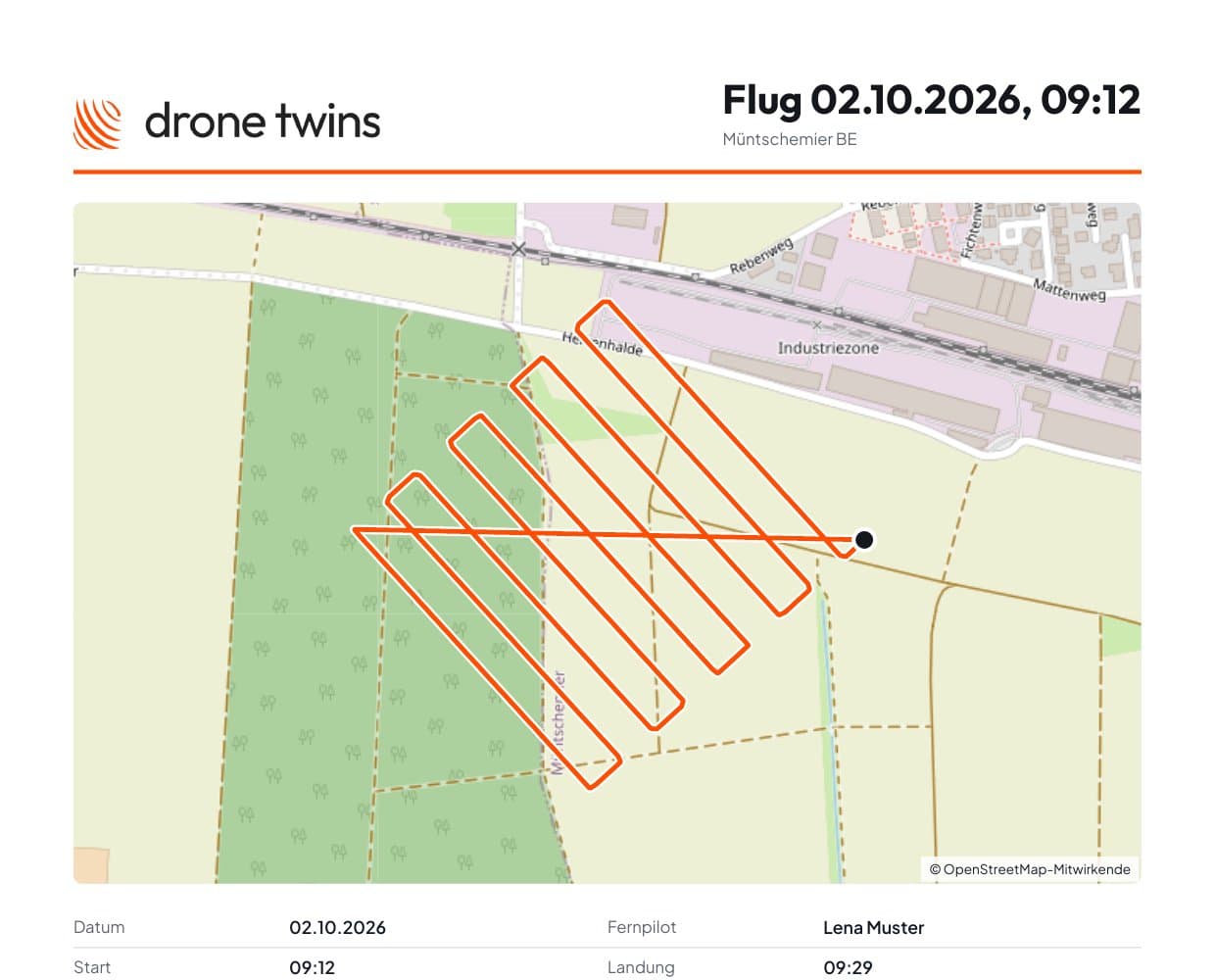
Filter by period, drone or remote controller and download the logbook as a PDF (in German for now). The same filters apply to CSV and KML.
- 6
Invite pilots
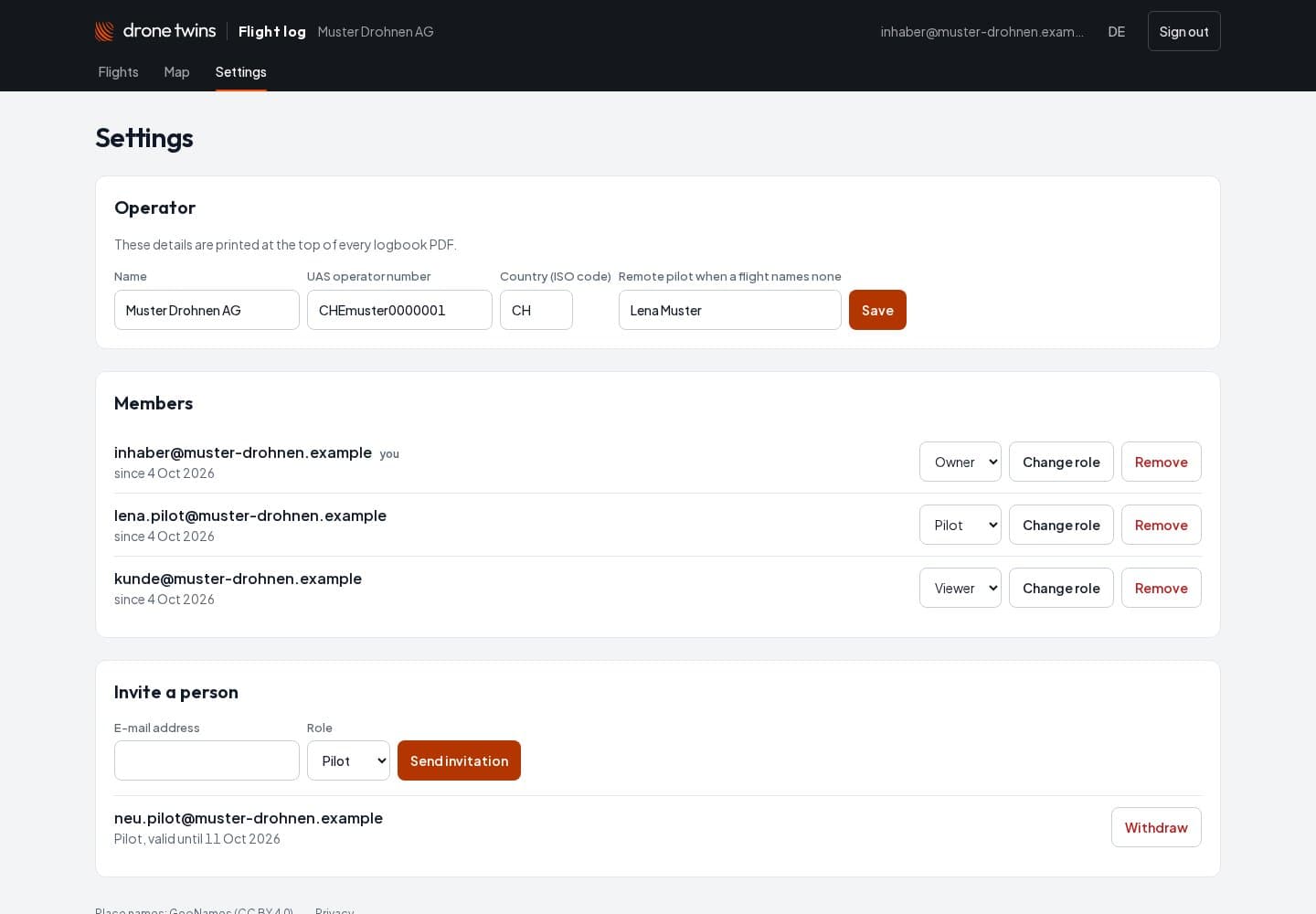
As an owner you invite pilots and viewers in the settings. Everyone signs in with their own e-mail address.


Questions? Write to us at hi@dronetwins.ch.